Channel Settings



Notification preferences, channel header, channel purpose, and channel name are customizable for each channel. To access these settings, select the channel name at the top of the page.
Channel notification preferences
Notification preferences can be modified for each channel you belong to.
Mute channel
By default, channel muting is turned off for all channels. To mute or unmute a channel, select the channel name at the top of the page to access the channel menu, then choose Mute Channel.
Ignore mentions for @channel, @here and @all
By default, you’ll receive mention notifications for any uses of @channel, @all or @here in a channel. When enabled, the channel will ignore mention notifications for channel wide mentions. Any messages containing @channel, @all or @here will still mark the channel unread, unless channel mute is enabled.
Send desktop notifications
By default, the desktop notification preference assigned in Settings is used for all channels. To customize the desktop notification preference for each channel, select the channel name at the top of the page to access the channel menu, then select Notification Preferences > Send desktop notifications.
Send mobile push notifications
By default, the mobile push notification preference assigned in Settings is used for all channels. To customize the mobile push notification for each channel, click the channel name at the top of the page to access the channel menu, then select Notification Preferences > Send mobile push notifications.
Channel header
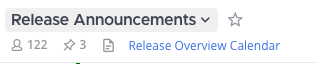
In the channel menu, select Edit Channel Header to change the text that appears under the channel name at the top of the screen. A channel header can be up to 1024 characters in length, and is used to summarize the channel topic or provide links to frequently accessed documents. Any channel member can edit this setting, unless the System Admin has restricted the permissions.
Frequently-used links to documents, video calls, or other sites can be added to the channel header using markdown.
Channel purpose
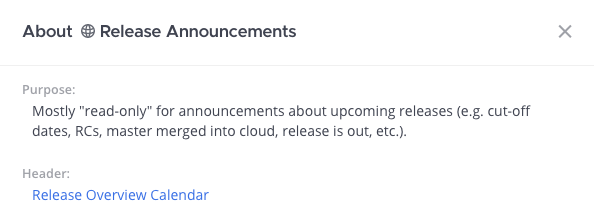
In the channel menu, select Edit Channel Purpose to change the text that appears when users select View Info for the channel. The channel purpose is usually a short description of up to 250 characters in length that helps others decide whether to join the channel. Any channel member can edit this setting, unless the System Admin has restricted the permissions.
Channel name
In the channel menu, select Rename Channel to change the channel name or handle. Changing the name of the channel also changes the channel URL. Any channel member can edit this setting, unless the System Admin has restricted the permissions. Channel names must be at least two characters, can be up to 64 characters in length, and some unicode characters aren’t supported.